
WhatSUP hero
RoleUX/UI Designer
ToolsFigma, WordPress
FocusDigital Redesign

Built to guide you from your first click to your first lesson on the water.

Redesign & Brand Identity | [ Jan - May 2025 ]

[ Objective ]

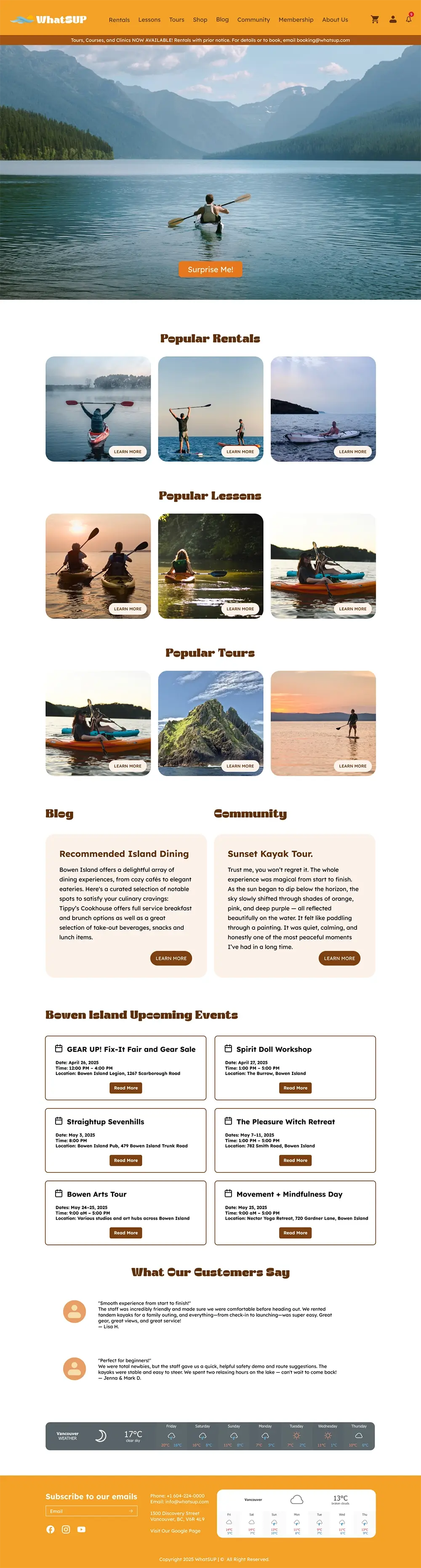
WhatSUP home screen

Scroll to view

WhatSUP had a spirit that their old branding just was not catching. It is a brand built for the outdoor community and youthful energy, but the visuals felt dated and disconnected.

My mission was to bridge that gap by refreshing the visual identity to feel modern and authentic, while ensuring the digital experience felt as smooth as a morning on the water.

[ Ideation ]

To bridge the gap between a basic website and a community hub, I brainstormed three key features designed to keep users coming back.

WhatSUP ideation visual refresh concept

Visual Refresh

I ditched the static, dated layout for an interface that actually moves. By using bold typography and a more vibrant palette, I wanted the site to finally match the adrenaline of the sport, making the browsing experience feel just as active as the brand.
WhatSUP ideation seamless search concept

Seamless Search

Instead of fighting with complex menus, I focused on a navigation system that stays out of the way. The goal was to help users find the right gear in seconds, ensuring the path from landing page to checkout is as smooth as possible.

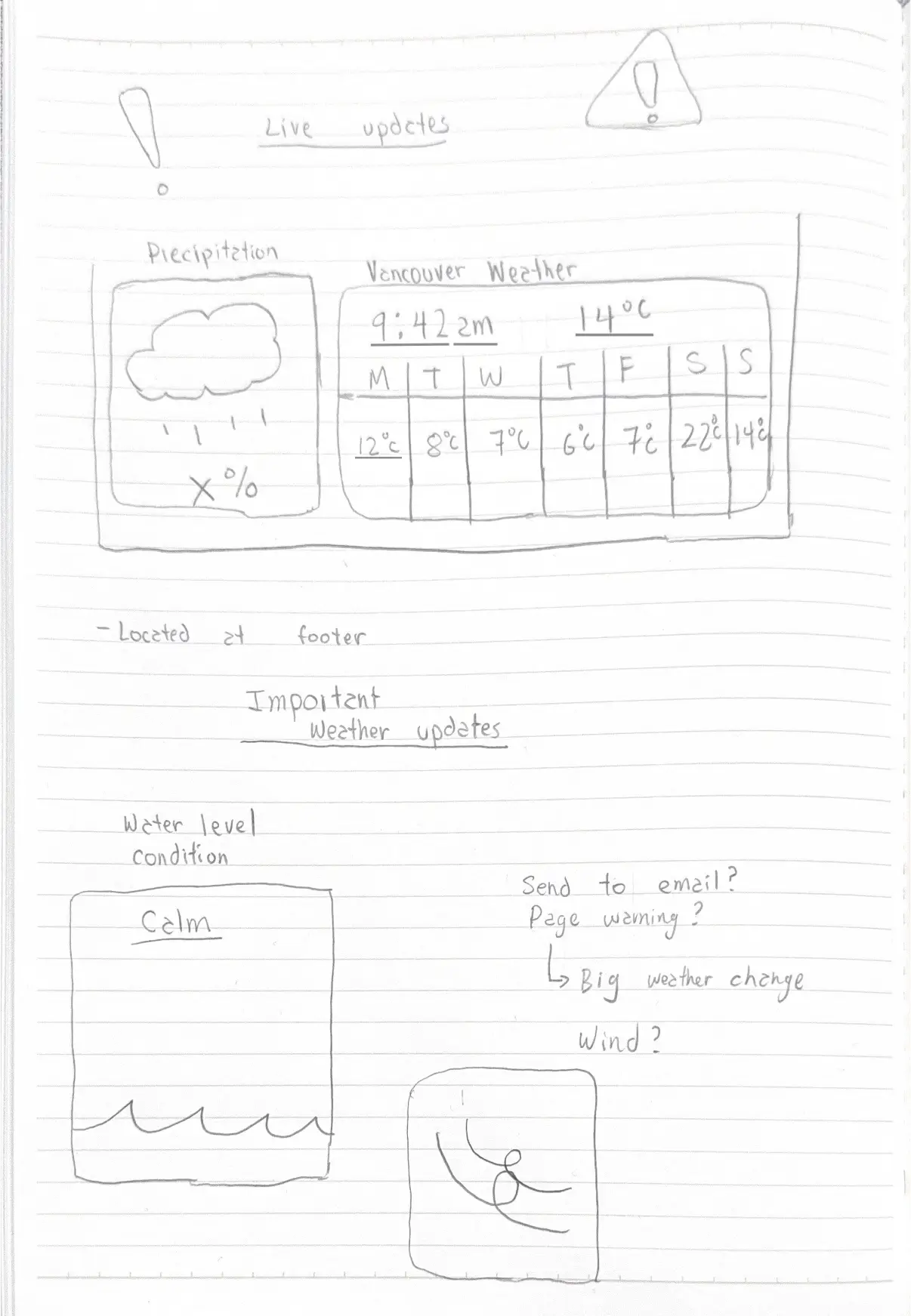
WhatSUP ideation real-time status concept

Real-Time Status Bar

To keep the community connected and safe, I added a real-time status bar at the bottom of the screen. Whether it is weather alerts or water conditions, it gives paddlers the "need-to-know" info at a glance without cluttering the main design.

[ User Persona ]

To make sure the redesign actually worked for the community, I focused on two very different types of paddlers. By understanding their specific needs, I could prioritize features that turn a curious first-timer into a lifelong member of the pack.

Click to read

Primary Persona

Weekend Explorer

Goals
  • Find beginner-friendly locations and equipment.
  • Learn basic techniques and safety information.
  • Connect with local instructors or groups.
  • Understand what gear is needed to start.
Frustrations
  • Overwhelmed by technical gear and jargon.
  • Difficult to find nearby rental options.
  • Intimidated by advanced paddling communities.
  • Unclear pricing and what is included in bookings.
"I just want to know if it's a good day to be on the water without getting lost in the gear-speak."

Secondary Persona

Local Pro

Goals
  • Access advanced techniques and challenges.
  • Get real-time water condition updates.
  • Connect with other experienced paddlers.
  • Discover new locations and routes.
Frustrations
  • Outdated water condition information.
  • Too much beginner content in feeds.
  • Limited community features for meetups.
  • No ability to filter by skill level.
"I need the tide report fast so I can hit the water before work."

[ Wireframe ]

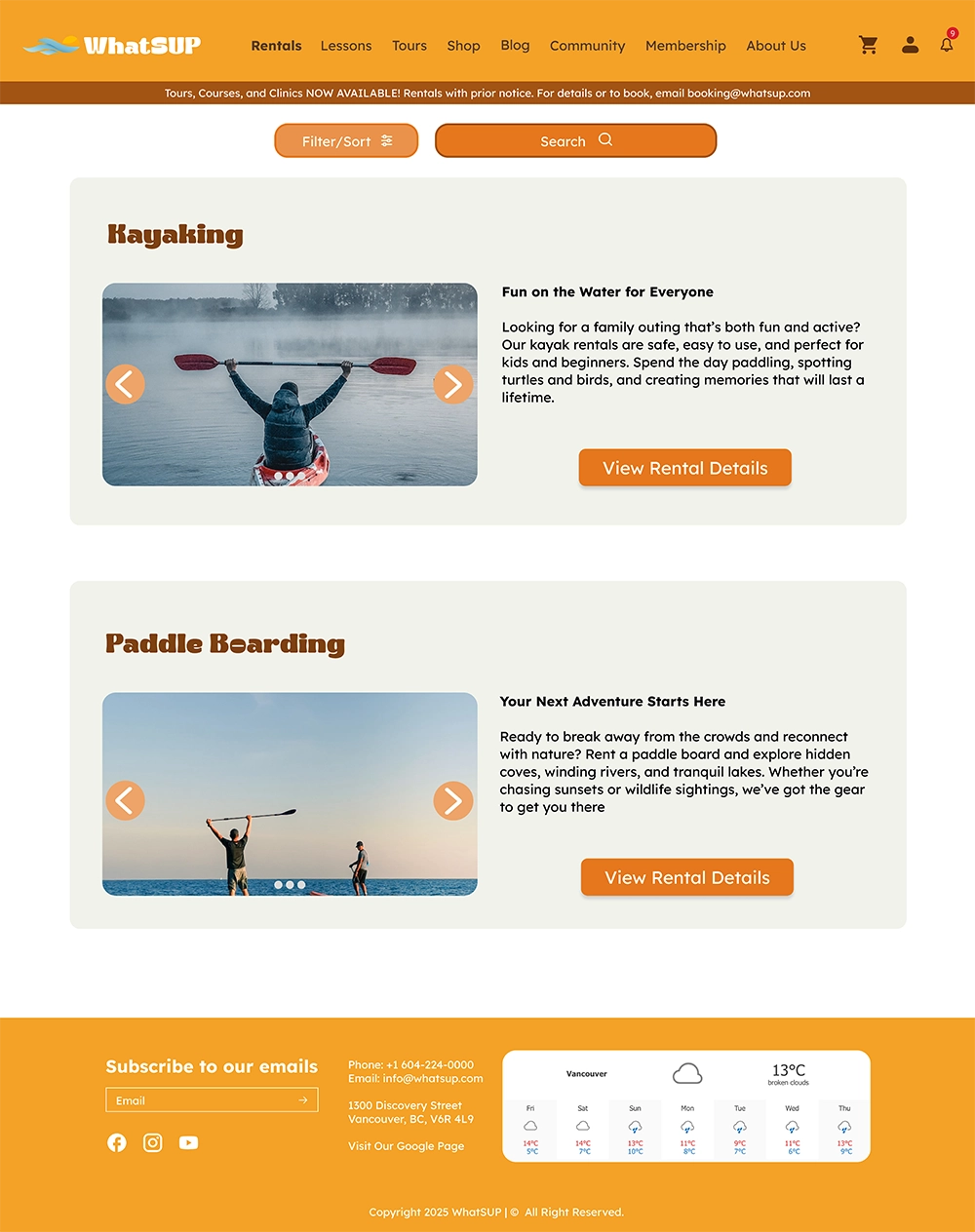
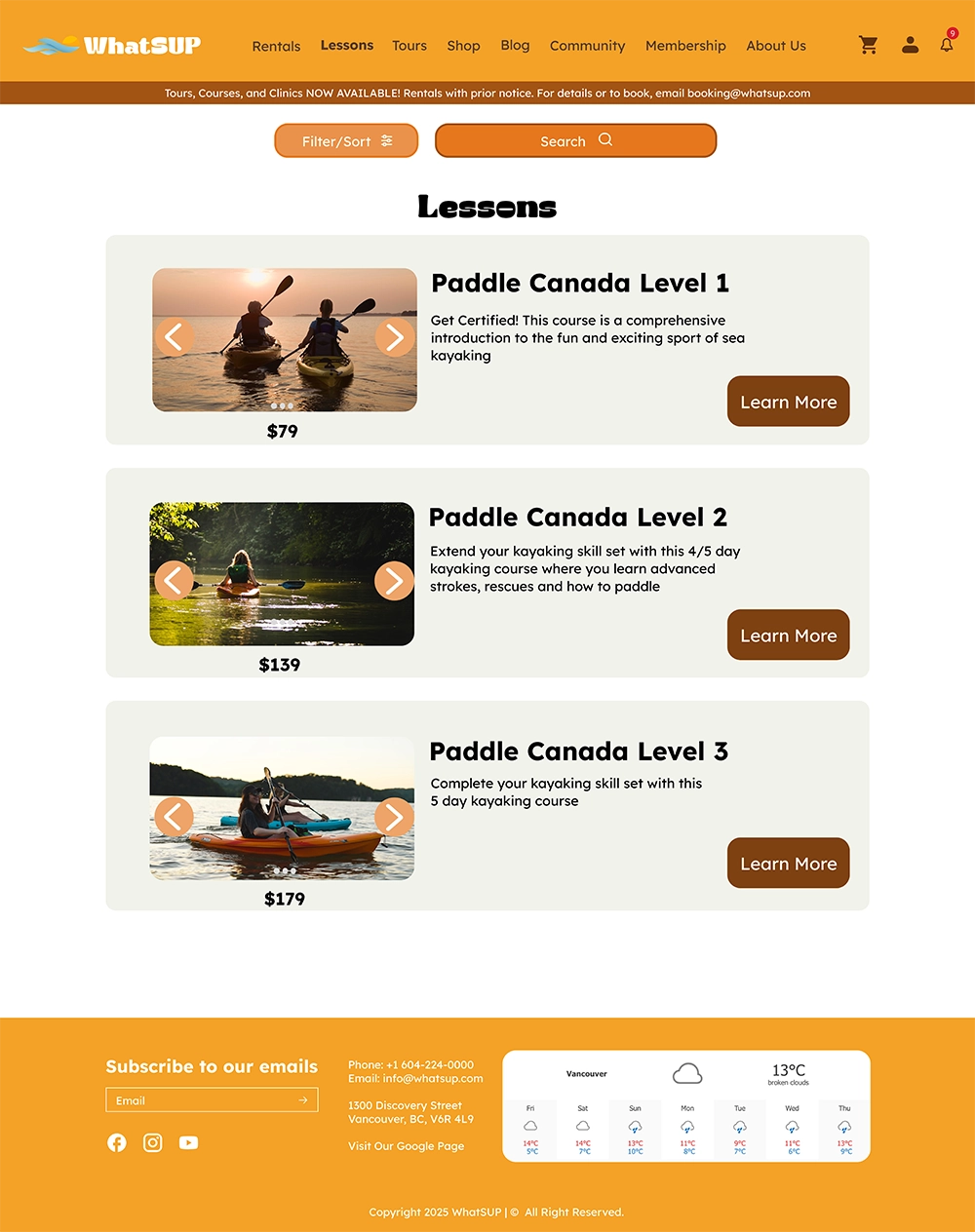
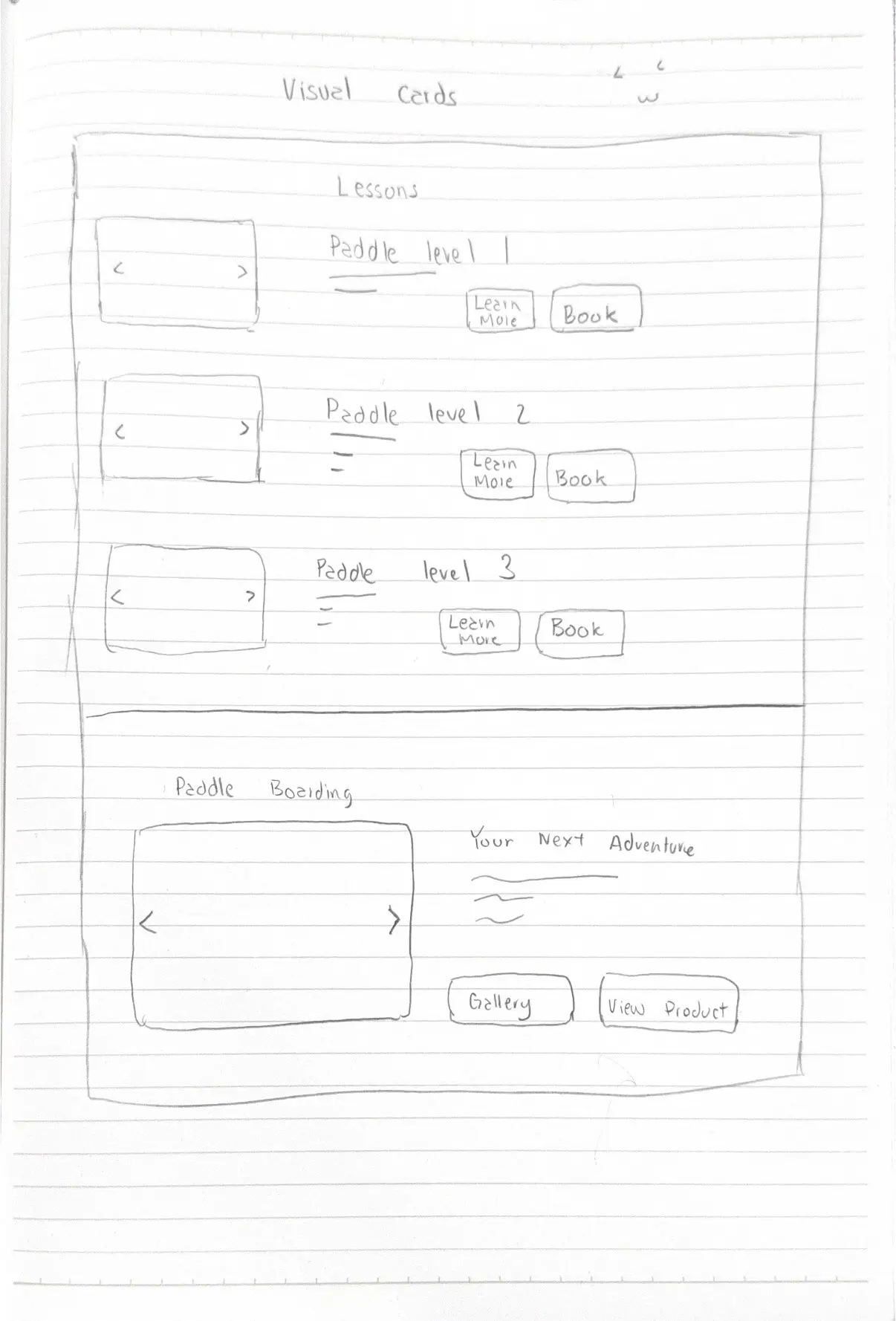
I focused on the Lesson and Tour pages to fix navigation issues and help users decide faster. By switching to a card-based system, I removed the clutter and organized information into a clean hierarchy that prioritizes the user's time and confidence.

Scannable Selection (Visual Cards)

WhatSUP wireframe card 1
WhatSUP wireframe card 2

Solution

I replaced long, dense text blocks with clean, scannable cards.

Reason

Instead of making users read a manual to find a price, these cards highlight the essential info - pricing and a "Learn More" button - making the browsing experience effortless and visually engaging.

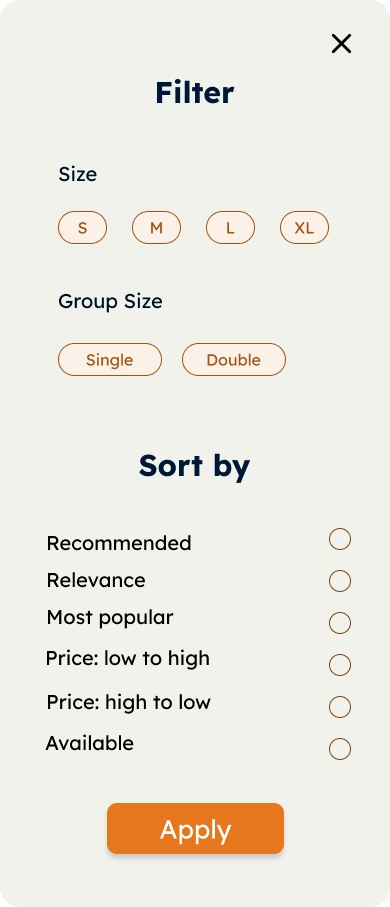
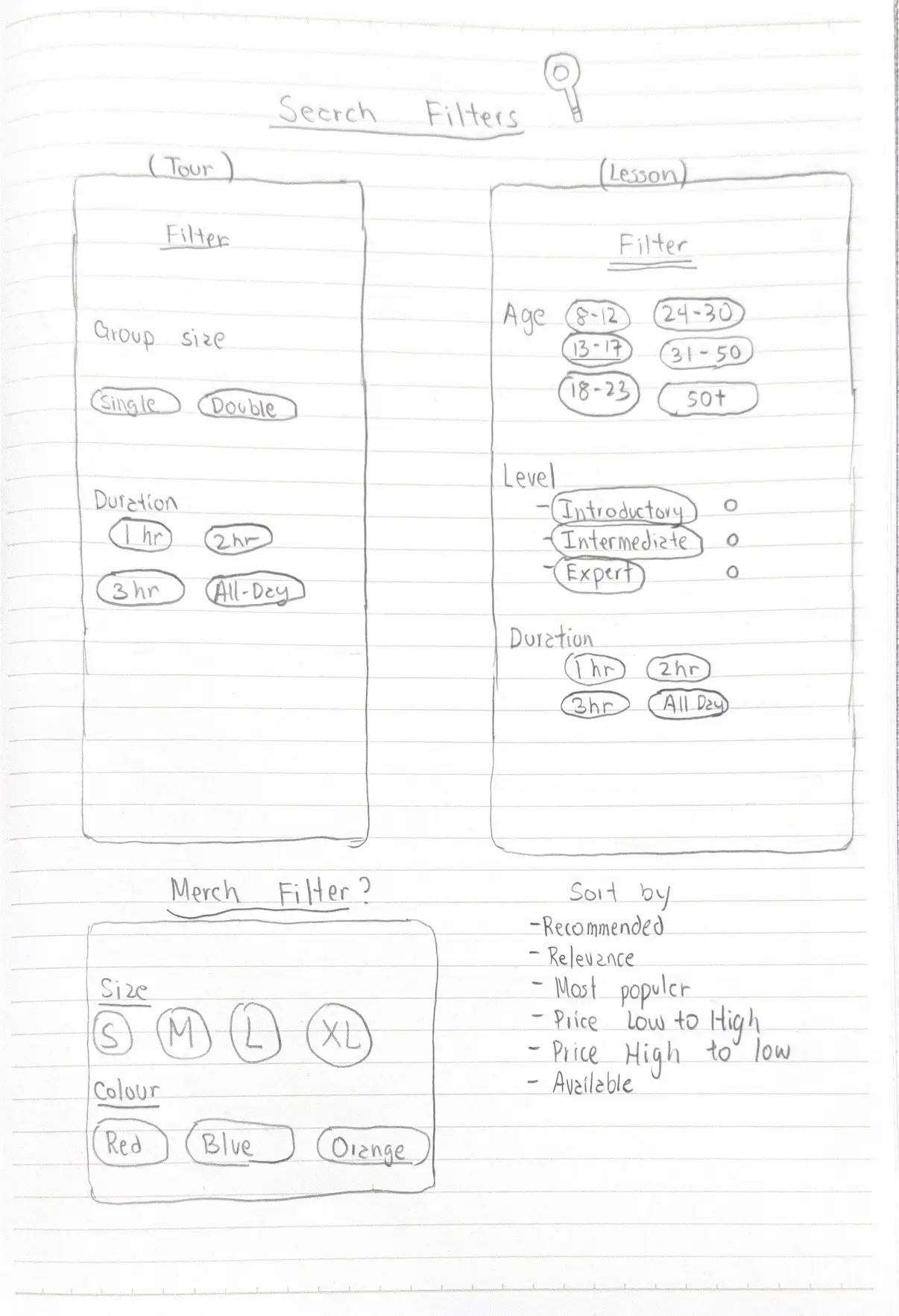
Smart Navigation (Sidebar Filtering)

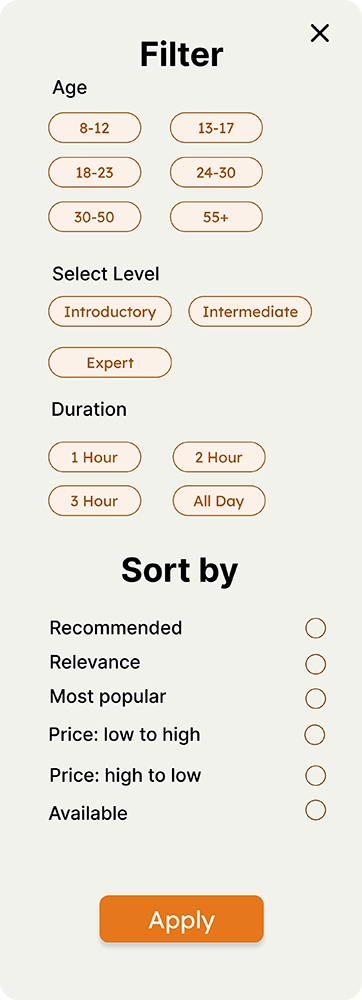
WhatSUP wireframe sidebar L2
WhatSUP wireframe sidebar L1

Solution

I added a dedicated filter for age and skill level.

Reason

This stops the "scroll fatigue." By allowing users to filter for specific certifications or skill levels instantly, I ensured that the Local Pro and the Weekend Explorer both find exactly what they need in seconds.

The Safety Anchor (Live Updates)

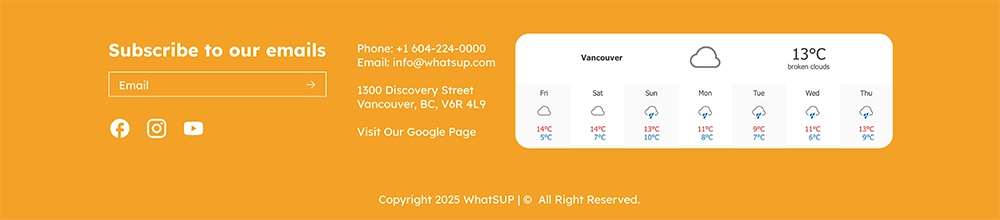
WhatSUP wireframe footer with weather and map

Solution

I integrated a real-time weather widget and a Bowen Island map directly into the footer.

Reason

Combining live weather with a local map ensures paddlers have both the conditions and the geography they need to plan a safe trip at a glance.

[ Styleguide ]

To bring the WhatSUP spirit to life, I built a visual identity that feels as fresh and energetic as a day on the water. Every color and curve was chosen to ditch the dated feel of the old site and create an approachable, high-energy world for our community to dive into.

Primary

#E5771E

Secondary

#F4A127

Tertiary

#60402D

Quaternary

#647828

Quinary

#90BED1

[ Gallery ]

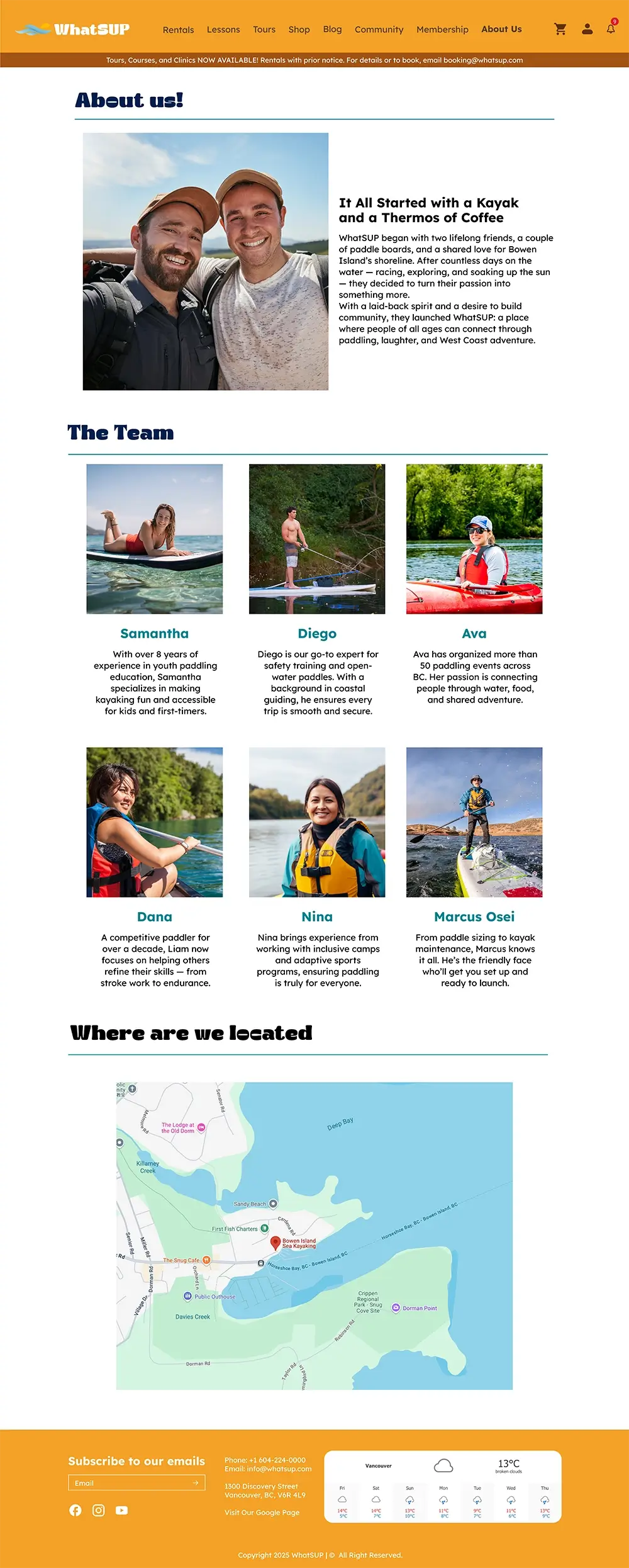
WhatSUP about us page layout
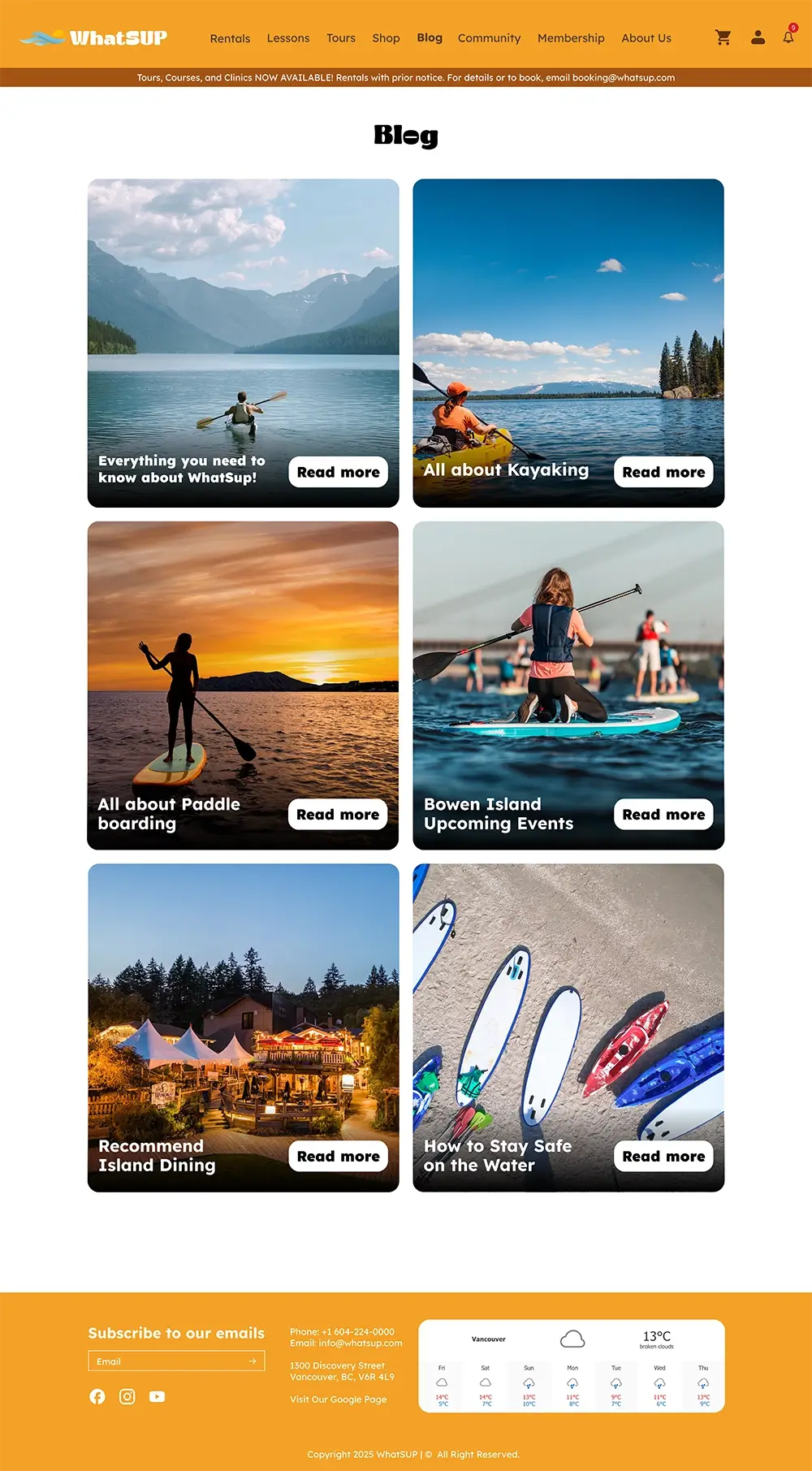
WhatSUP blog page layout
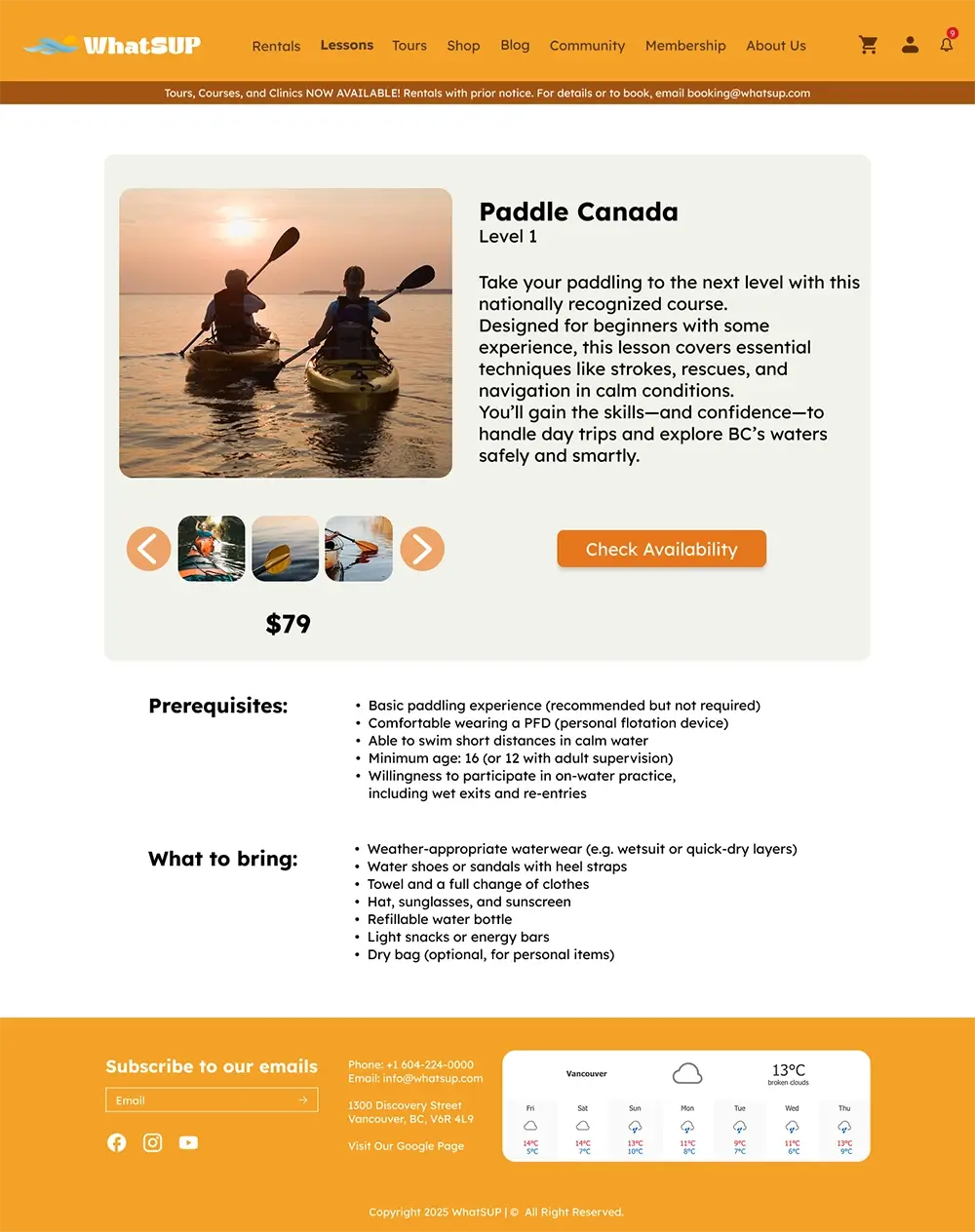
WhatSUP lesson page layout
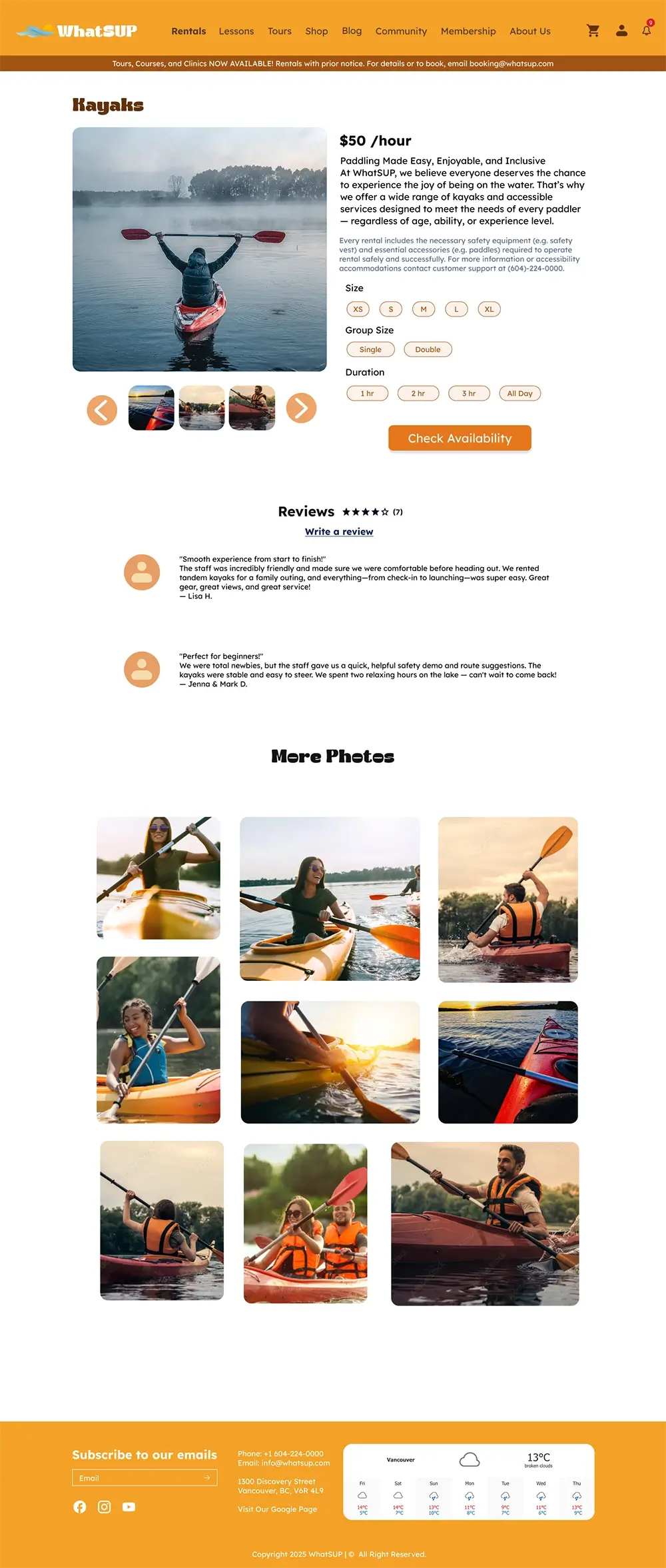
WhatSUP tour page layout

[ Retrospective ]

WhatSUP already had the energy. The experience didn't. The job was to build a digital space that actually matched the brand and made people feel confident enough to show up.

User-First Thinking

Building out the user personas made it obvious. The Local Pro isn't browsing, they're checking conditions before heading out and every second counts. Once I saw the design through their eyes, having that information always there at the bottom stopped feeling like a nice addition and started feeling necessary.

Visual Cohesion

It wasn't about making each piece look good on its own. Every color, every type choice, every card had to feel like it came from the same place. The system only works when everything shows up together and reads as one brand, not a collection of nice looking parts.

Design to Handoff

Figma is generous. It hides a lot of the messiness that shows up the moment you move into a real environment. WordPress exposed decisions I thought were solid and taught me that a design isn't finished when it looks right in the mockup, it's finished when it holds up outside of it.